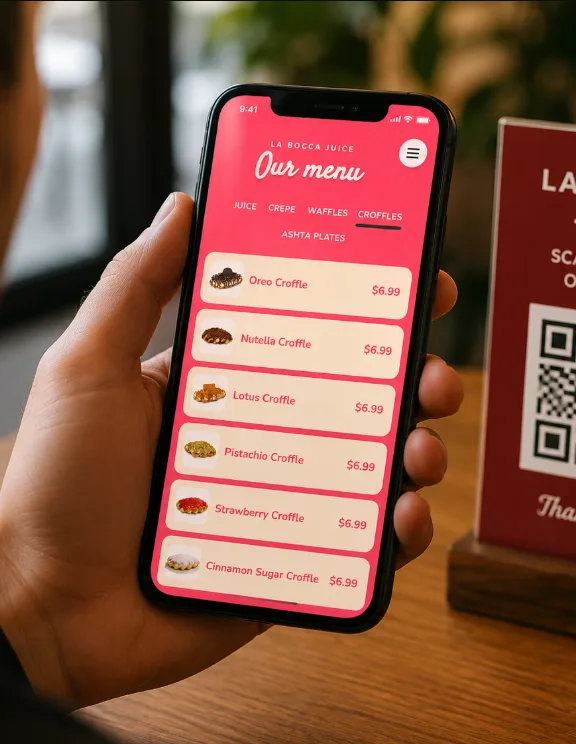
A QR code menu is fast to update and easy to share, while a paper menu is immediate, familiar, and never depends on a phone battery. For most Ontario restaurants, cafes, food trucks, and bars, the strongest answer is not choosing one forever. It is using a digital menu as the live source of truth and keeping a small number of clean paper menus available.
QR code menu vs paper menu at a glance
| Question | QR code digital menu | Paper menu |
|---|---|---|
| Price changes | Update once and publish immediately | Edit, print, and replace every copy |
| Customer effort | Requires a phone and one scan | Open and read immediately |
| Photos and detail | Flexible photos, allergens, languages, and specials | Limited by page size and printing cost |
| Reliability | Depends on a working page and internet access | Works without a device or connection |
What is a QR code digital menu?
A digital menu is a mobile-friendly web page containing your current categories, items, descriptions, prices, photos, specials, and important dietary information. A printed QR code sends customers directly to that page. The QR code should point to a URL on your own website, such as yourrestaurant.ca/menu, rather than to an image file or a temporary third-party link.
The important part is the web page behind the square. A QR code cannot rescue a slow PDF that requires pinching and zooming. The menu should load quickly, use readable type, have large tap targets, and make the most common actions obvious: call, order, reserve, get directions, or choose another language.
Where a digital menu wins
Restaurants change. A supplier runs out of an ingredient, a lunch special ends, or a price needs to move. With a properly built digital menu, the restaurant updates the page once. The same link continues working on table cards, windows, takeout packaging, social profiles, and Google Business Profile.
- Faster updates: change a price or mark an item unavailable without reprinting the whole menu.
- More useful detail: add photos, allergens, spice levels, portion notes, and ordering links without crowding a page.
- Multiple languages: provide English and French versions, or other languages your customers use.
- Better measurement: understand how often the menu and key buttons are used without identifying individual diners.
- One shareable link: use the same current menu in search, social media, email, and printed QR codes.
Where paper still wins
A paper menu asks almost nothing from the guest. It works when a phone is dead, mobile data is weak, the camera will not focus, or a customer simply does not want to use a device at the table. It also lets a group browse together without passing phones around.
Paper can be part of the hospitality. A well-designed menu communicates the restaurant's mood and gives staff something familiar to offer immediately. For fine dining, seniors, families with children, tourists without local data, and accessibility needs that the digital experience does not fully cover, removing paper entirely can create friction.
What does each option really cost?
A paper menu is inexpensive when it rarely changes. The cost rises when prices, seasonal items, or promotions require repeated design and printing. Laminated copies last longer but are harder to update cleanly. Temporary stickers and crossed-out prices save a print run but can make the experience feel neglected.
A digital menu has an initial design and development cost, plus hosting and occasional updates. Once the system exists, routine content changes are usually quicker and do not require replacing every physical copy. The best comparison is not paper versus a QR sticker; it is repeated printing versus maintaining one useful menu page that also supports search, sharing, ordering, and reservations.
The best setup is usually hybrid
Use the digital menu as the current master and keep enough paper menus for guests who prefer them. The paper version can be shorter: core items, categories, popular choices, and a note that the current menu and specials are available by QR code. Staff should offer the choice without forcing it.
- Build a fast menu page on your restaurant's domain.
- Test it on older phones and slower mobile connections.
- Print the QR code with a clear label such as “View our current menu.”
- Keep paper copies at the host stand and make them easy to request.
- Review both versions whenever prices, hours, or availability change.
Common QR menu mistakes
- Linking directly to a large PDF instead of a responsive menu page.
- Printing the code too small or with weak contrast.
- Placing the code on a reflective or curved surface without testing it.
- Using a QR service that can expire, add advertising, or change the destination.
- Forgetting a written URL for customers who cannot scan.
- Hiding prices or important dietary details behind too many taps.
- Removing every paper option before asking real customers what they prefer.
Can a digital menu help local SEO?
A crawlable menu page gives search engines more useful information than an image-only menu. Item names, cuisine, neighbourhood references, hours, location, and restaurant details can support relevance when they are written naturally. The page can also link to reservations, directions, and contact information.
Do not create a menu only for Google. The first job is helping a hungry customer decide. A fast, accurate page with clear categories is better than a page stuffed with repeated location keywords.
If the QR code needs a better destination, use the restaurant website design Ottawa guide to plan the menu, ordering and Google profile connection.
What should your Ontario restaurant choose?
Choose digital-first if the menu changes frequently, you use several languages, or customers often discover you through phones and social media. Keep paper-first if the menu is stable and the physical presentation is central to the experience. For most restaurants, use both: a current digital menu with a permanent QR code, supported by a smaller set of printed menus.
Ontario Webs builds restaurant websites and digital menus that are mobile-friendly, fast, bilingual when needed, and hosted on the restaurant's own domain. If your current menu is a difficult PDF or an expiring QR link, request a free quote for a cleaner setup.